Page 1 of 1
many problems with serviio settings en installing linux mint

Posted:
Tue Feb 26, 2019 5:24 pmby glda19
Hi
i make a serviio user
then in the home/Downloads i extract the the files
i've followed this
https://wiki.serviio.org/doku.php?id=ho ... buntu15-04enabled debug in log4j.xml
But i don't have al log file in the log directory
I have a philips tv and set profile on Philips NP Streamium
Then when i go to network on the tv i see the serviio server. But i've got the message no reable files
tried als other tv profiles with the same message
For the settupbox i used the following profile DirecTV HD-DVR
But i'v got a messge there is a technical problem.
First i have installed serviio on windos 10 with the same settings and it works fine
Who can help me and have also knowledge of linux
i do also a test with the following link
viewtopic.php?f=5&t=5620Vlc palyer don't find the serviio server
this
http://localhost:23424/mediabrowse found files
Re: many problems with serviio settings en installing linux
Posted:
Tue Feb 26, 2019 11:39 pmby th3bucch
Hi,
I had a similar problem and it seems like yours.
According to
this topic, the issue is born with serviio 1.10.1 and probably caused by newer versions of java like 10 or 11.
The solution i found to date is to set your java environment to older version, 8 is working fine. To do so follow the steps below.
- First chech which version are you running right now with
if version number is 10 or 11 go to next step, otherwise post your result.
- Stop serviio server
- Code:
sudo service serviio stop
- Set java version 8
- Code:
sudo update-alternatives --config java
and select the proper line. If java version 8 doesn't show you have to install it.
- Check java version to see if the changes took place, then restart serviio server
- Code:
sudo service serviio start
and check if is now working good.
Let us know if you still have the issue or not
bye
Re: many problems with serviio settings en installing linux
Posted:
Tue Feb 26, 2019 11:45 pmby atc98092
th3bucch: that is good information, but not related to his issue. He has Serviio installed and working, but his TV shows no media available to play. When he uses MediaBrowser, his media appears. So his Java version is fine. If Serviio wasn't running, the Serviio icon wouldn't appear on his TV as a media source. We need to find out why his TV isn't showing any media. So there's really nothing wrong with his Serviio install, it's the profile for his TV that isn't working as expected. I believe we also have a language barrier, as he hasn't provided me with some additional information I requested in a different post he made.
Re: many problems with serviio settings en installing linux
Posted:
Wed Feb 27, 2019 6:02 amby glda19
What addidional information do you need?
I edit de log4 file but I dont get a log filebin deog directory
I did also.a test with vlc player link in the link I posted earlier.
But vlc dont see serviio.
I trying later to day ore this week
Re: many problems with serviio settings en installing linux
Posted:
Wed Feb 27, 2019 1:17 pmby atc98092
We need media information for at least one file that appears in Mediabrowser but doesn't appear on the TV or through VLC. I can't explain where the log file is being saved on Linux. It should be in the Log folder in the Serviio installation location. I have a Linux Mint test computer at home. I'll Install Serviio and see if I can find where it's going. But knowing the media information is really necessary to troubleshoot.
Since your media is showing and playing in MediaBrowser, that means there's nothing wrong with your Serviio install or settings. It's just a matter of figuring out why the media doesn't appear on your TV or with VLC (which is really puzzling).
Re: many problems with serviio settings en installing linux
Posted:
Wed Feb 27, 2019 3:23 pmby glda19
On tv I only see serviio but un readle files
And on the pcink in the link for vlci dont see serviio at al only the settopbox
And I have nolog file.
Re: many problems with serviio settings en installing linux
Posted:
Wed Feb 27, 2019 10:58 pmby th3bucch
atc98092 wrote:th3bucch: that is good information, but not related to his issue. He has Serviio installed and working, but his TV shows no media available to play. When he uses MediaBrowser, his media appears. So his Java version is fine. If Serviio wasn't running, the Serviio icon wouldn't appear on his TV as a media source. We need to find out why his TV isn't showing any media. So there's really nothing wrong with his Serviio install, it's the profile for his TV that isn't working as expected. I believe we also have a language barrier, as he hasn't provided me with some additional information I requested in a different post he made.
Well, what are you saying is not all correct.
When I had that issue my TV was displaying my serviio server, so my smartphone did (using VLC) but no files showed, my LG TV also notified me about "unstable network connection" or something like that.
@glda19 if you want to find serviio log file you can try running this command in a terminal window
if no results were shown you can try the hard way with
- Code:
find / -name "serviio.log"
hope it helps
Re: many problems with serviio settings en installing linux
Posted:
Thu Feb 28, 2019 6:23 pmby glda19
and what did you do to fix it
Re: many problems with serviio settings en installing linux
Posted:
Thu Feb 28, 2019 6:40 pmby glda19
how to install serviio on linux mint 19.1
Re: many problems with serviio settings en installing linux
Posted:
Thu Feb 28, 2019 7:33 pmby atc98092
glda19 wrote:how to install serviio on linux mint 19.1
See my post in your other thread:
viewtopic.php?f=5&t=25209&p=120929#p120929
Re: many problems with serviio settings en installing linux
Posted:
Fri Mar 01, 2019 2:33 amby atc98092
OK, I have Serviio running fine on my Linux Mint 19 computer. Had to use apt-get to retrieve ffmpeg (I think), and did have to install Java 8 and perform the switch as mentioned above. But you've said that MediaBrowser was showing your media, so you've already succeeded installing Serviio correctly. Now the issue is getting the media to appear on your TV, and now we're back to the information I asked for before. We need media information for one of your media files. We need to know what audio and video codecs are contained in the file, and the type container that holds the media. Then we can look at the Philips profile and see if it's missing something.
And the log file is exactly where I said it would be. I installed Serviio to the /opt folder, so my log is under /opt/Serviio/log. It would really help to see the log file.
Re: many problems with serviio settings en installing linux
Posted:
Fri Mar 01, 2019 5:22 pmby glda19
What i did fist is delete the user serviio and add the user serviio.
upack the tar file in /opt/serviio.
Now i have a log file
That is what i see on the vlc player whitch is the same pc
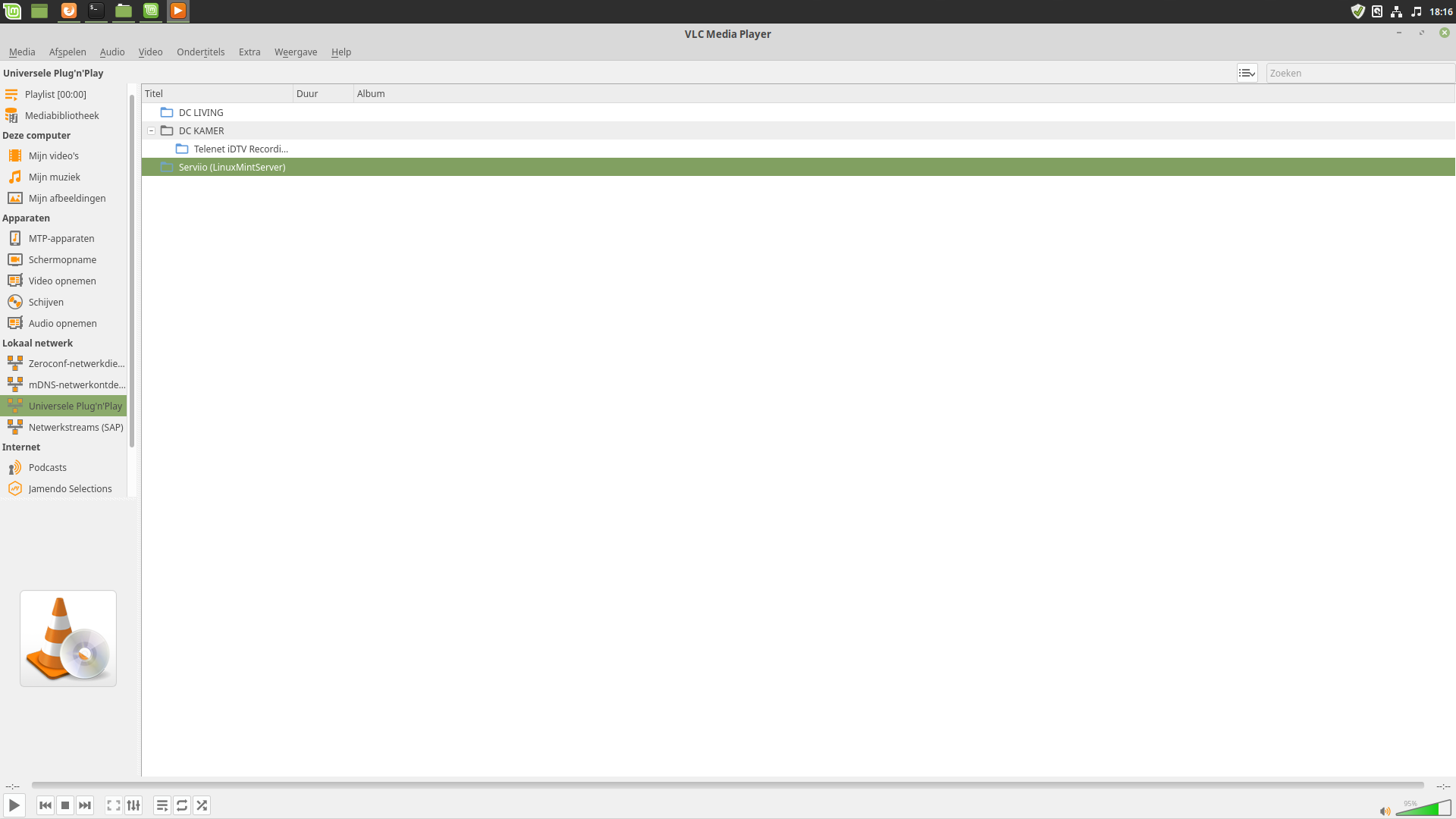
- Schermafdruk van 2019-03-01 18-16-19.png (91.85 KiB) Viewed 15527 times
and here is the log file
and still the same problem on tv and settobox.
on the tv no browseble files
and when i try the same on the settobox there is a technical error try later
Re: many problems with serviio settings en installing linux
Posted:
Fri Mar 01, 2019 8:39 pmby atc98092
I'm glad you found the log. With debug logging enabled, the log is being split into multiple files. The one you attached is missing the initial Serviio startup. I can see that it is recognizing your media, I believe the IP address of your Serviio computer is 192.168.1.128, and I think I see where you are accessing Serviio via VLC, although that might be MediaBrowser as well. What is puzzling me is I see the profile 'DirecTV HD-DVR' being used for your computer IP, and I don't understand why that profile is being used. VLC should just use the generic profile, as it can play virtually anything. I just fired up VLC on my computer and it sees all three of my Serviio installations on my network, including my Mint box, and is displaying the available media. Unfortunately, I can find nothing in your log that indicates a problem. Unfortunately, I believe I've hit my limit on what I can help with. Zip, the Serviio developer, will likely have to look this over now. I just can't find any reason your TV and especially VLC can't see your media.
Re: many problems with serviio settings en installing linux
Posted:
Sat Mar 02, 2019 9:31 amby glda19
how is the owner of the the files by you
i see that my files are root:root
i copied 1 file to my serviio profile /home/documents
and the film have serviio:serviio
and set the shared liberary to home/serveriio/Documents
and noting to see in vlc or tv ore my belgium settobox / digicoder.
And last night i saw with no problem a fil from my windos 10 and last serviio on my belgium setobox or philips tv
Re: many problems with serviio settings en installing linux
Posted:
Sun Mar 03, 2019 11:17 amby glda19
i don't see it what is wrong in linux
Re: many problems with serviio settings en installing linux
Posted:
Mon Mar 04, 2019 12:17 amby atc98092
I can't explain why it works on your Windows computer but not on Linux. Since MediaBrowser was showing your media on the Linux machine, that means Serviio was working properly. Why it wouldn't appear on your TV, I have no idea. The install I tested on Mint 19 is working fine. As the the file ownership on my box, I'm pretty sure the media is not owned by root, as I mounted the media from another computer with my standard user account. I don't think I had to use sudo, but honestly can't remember.
I'm traveling for work tomorrow, and won't be home until Friday. So I won't be able to test anything further until I get home. Hopefully someone else will offer some ideas here while I'm gone.
Re: many problems with serviio settings en installing linux
Posted:
Tue Mar 05, 2019 6:01 pmby glda19
i removed completely the user serviio in the weekend.
End add a new user serviio. En unzip the serviio to /opt/serviio.10.1
Than it wil not work.
Today i test it again en now it works. Strange on my tv i see the films and the subtitles and also on my settobox
I'm happy
But also in linux and windows the sound of the film is very low
