
FAQ  •  Register  •  Login

Video freezes but audio is ok

<<

andybh

Serviio newbie

Posts: 3

Joined: Wed Sep 11, 2013 4:02 am

Post Wed Sep 11, 2013 4:39 am

Video freezes but audio is ok

Hi

I am new to serviio so please be kind to me. I have installed pro version and was able to use media browser with no problems. When I use my media player through WiFi (Telstra T-Box). Some 1080 music videos freeze but audio is fine. What would be the first setting I should check?
<<

DenyAll

DLNA master

Posts: 2257

Joined: Fri Mar 08, 2013 11:16 pm

Location: Adelaide, Australia

Post Wed Sep 11, 2013 4:58 am

Re: Video freezes but audio is ok

Its likely the use of Wireless. HD 1080 video requires a fair bit of bandwidth and wifi is often not up to the task.

Are both your server (where you have installed Serviio) and the renderer (what you are viewing the video on) both connected via wireless - if so, this makes it worse as the wireless bandwidth is shared (by now two devices, plus whatever else may be using it). Try connecting via cable if possible.
DenyAll
Panasonic Viera FX800A | Panasonic Viera CS610A | Sony PS4 | Sony PS3 | Panasonic DMP-BD79 | Yamaha RX-V500D | iPad | Windows 10 | Serviio 1.10.1 Pro
WinHelper | MediaInfo

Beta Tester, Moderator
Please do not PM me for support as any solution cannot be shared with others.
<<

andybh

Serviio newbie

Posts: 3

Joined: Wed Sep 11, 2013 4:02 am

Post Wed Sep 11, 2013 9:17 am

Re: Video freezes but audio is ok

Thanks for the quick reply,

This has only happened after I have upgraded to pro (although I doubt that has anything to do with it) The latest video clips I have copied to folder are affected where as all the old clips are not. I open media browser and they all work fine. is there settings where I can back quality off to find the happy medium?
<<

DenyAll

DLNA master

Posts: 2257

Joined: Fri Mar 08, 2013 11:16 pm

Location: Adelaide, Australia

Post Wed Sep 11, 2013 11:21 am

Re: Video freezes but audio is ok

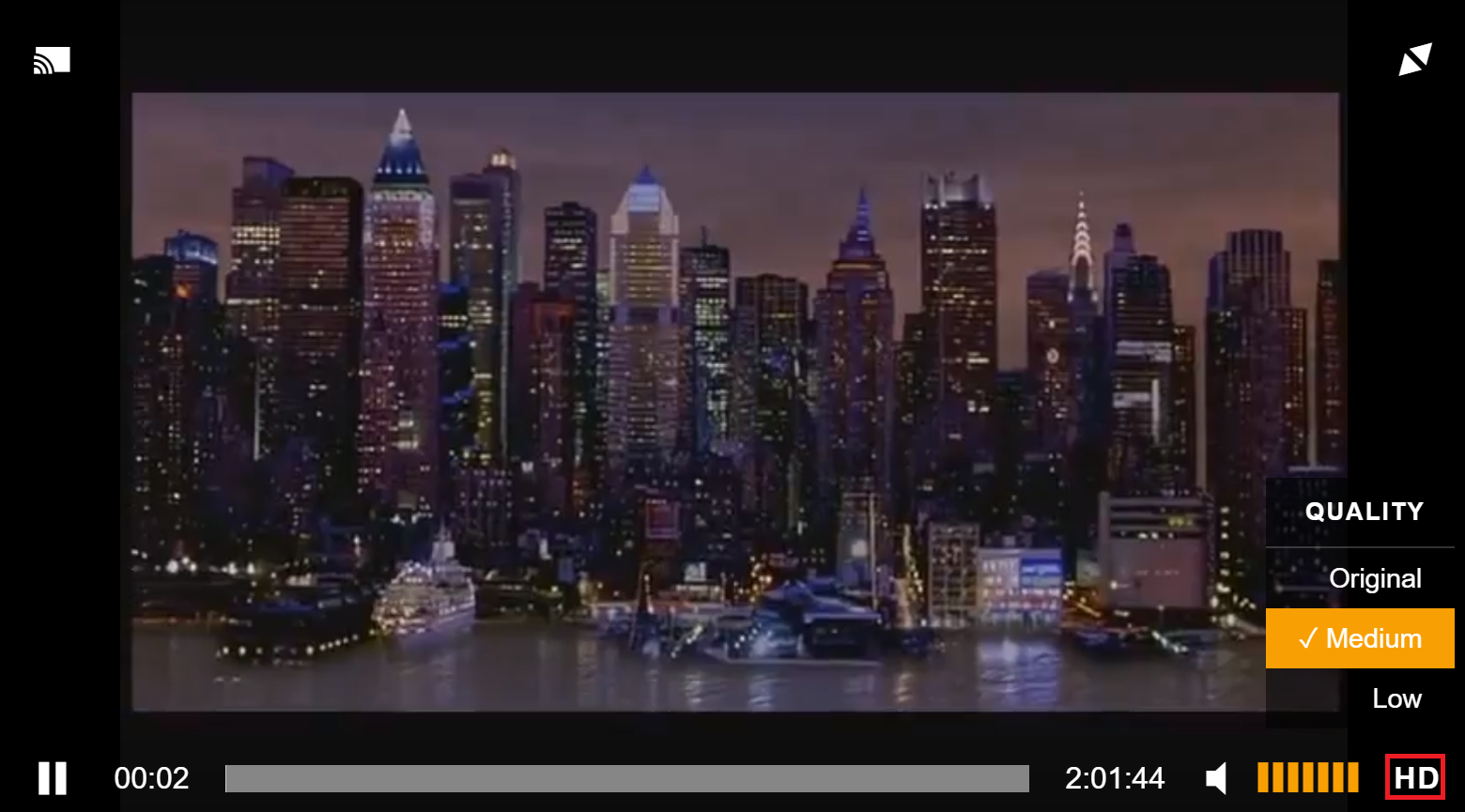
In Mediabrowser, hover your mouse over the playing video. To the right of the time/total duration, left of the mute icon - click on the menu icon, and your can change your quality.
http://www.serviio.org/buy-pro/10-uncat ... diabrowser
Image
DenyAll
Panasonic Viera FX800A | Panasonic Viera CS610A | Sony PS4 | Sony PS3 | Panasonic DMP-BD79 | Yamaha RX-V500D | iPad | Windows 10 | Serviio 1.10.1 Pro
WinHelper | MediaInfo

Beta Tester, Moderator
Please do not PM me for support as any solution cannot be shared with others.

Return to Serviio Support & Help

Who is online

Users browsing this forum: Baidu [Spider] and 20 guests

Powered by phpBB © 2000, 2002, 2005, 2007 phpBB Group.
Designed by ST Software for PTF.